

A three-part audio guide
Introduction, information and directions to the next stop. Speed from 0.5× to 2×, in your language, offline too.
GuideMyVisit · The visitor app
Audio guides, pathways, navigation, 3D models and an AI assistant, told the right way for each visitor: by age, by the time they have, by how they read, hear or see. In the browser or the app, in six languages.
Every visitor is different. There's the child who wants to play, someone short on time, someone who struggles to read, someone who communicates with symbols, someone who can't hear and someone who can't see. GuideMyVisit tells the story of the same place to each of them, in the right way.
Profiles · Accessibility
Choose your profile at the start of the visit: text, audio guide, images, videos and pathways change with you. The venue decides which profiles to offer, up to eight, and prepares them just once in Studio.
Visit profiles
Playful stories, a voice that speaks their language and a question to solve at every artwork: the visit becomes a challenge to spot the details.
Usability
Bigger text, more space between lines, high contrast, a typeface designed for dyslexia and colors adjusted for people who see them differently. Try them here: they're the same settings as the app's Usability panel.
Font size
Line height
Contrast
Reading mode
Color Blind Mode
Plus dark mode, reduced or no animations, clearly visible focus indicators and full keyboard navigation.
Pathways
Once you've picked a profile, the guide suggests its pathways, with duration and stops. If you prefer, create your own on the map: add the spots you care about, and GuideMyVisit works out the shortest route.
Guide pathways
Choose your profile and see the pathways made for you, as cards or on the map. One tap on “Start route” and the visit begins.
Navigation
Turn-by-turn directions with voice guidance, worked out for how you get around: on foot, in a wheelchair, by bike or without sight. And by car, with the last stretch on foot.
Audio guides, images, video, 3D and documents
Every page brings together voice, images, video, 3D models and documents. That's how you tell the story of a museum, a square, an artwork and even the illustrations of a picture book.
Introduction, information and directions to the next stop. Speed from 0.5× to 2×, in your language, offline too.
The gallery moves along with the audio guide: each photo comes in just as the story mentions it.
Videos for each page and videos for deaf visitors; the narration also appears as text.
Walk around the artwork, tap the points on the model and the camera follows the voice of the audio guide.
Catalogs, fact sheets and further reading in PDF, to browse on the page or download.
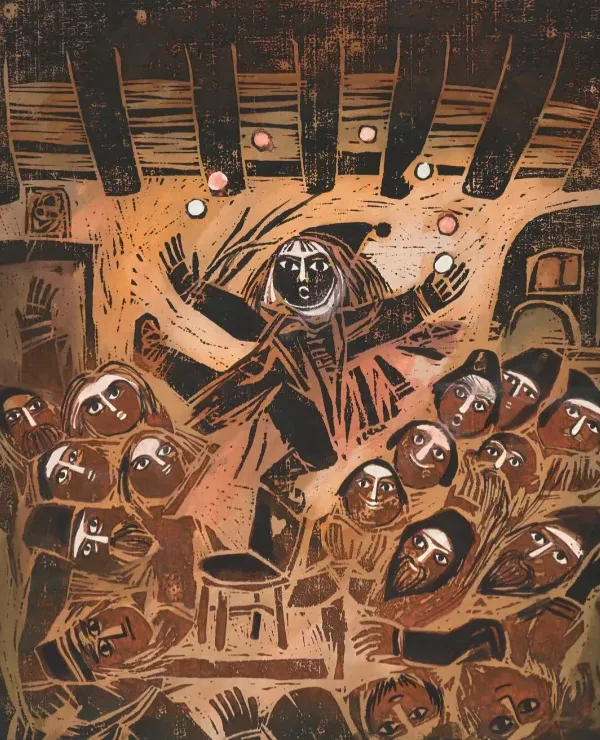
An illustrated book is told like an artwork: illustrations, story and author, as in the guide of the Štěpán Zavřel Foundation in Sarmede.
Location, beacons, NFC and QR codes
Outdoors, your location points out nearby spots; indoors, just walk up to a beacon, hold your phone to the NFC tag or scan a QR code. The page opens, and if you like, the audio guide starts on its own.
Beacons and NFC work with the iPhone and Android app; location and QR codes from the browser too.

Noesis · Artificial intelligence
GuideMyVisit's assistant understands written or spoken questions and searches the real catalog: guides, places, artworks and pathways, with answers as cards and on the map. And when you build your own pathway, it suggests the right stops.
“What can I visit with the kids?” Type or speak: Noesis interprets the question, applies the filters and shows you the results.
In a custom pathway, describe what you are looking for: Noesis suggests spots and explains why. You add them, and the app works out the best order.
To use Noesis, just sign in with your account.
Local area · Businesses and sponsors
Restaurants, shops, wineries and services become part of the visit: on the map, with their own page and a perk for visitors, and with targeted ads that arrive at the right moment, without interrupting the story.
And that's not all
From planning to memories, always in your pocket.
Audio guides and stops on your phone before you set off: the visit works even without a connection.
Italian, English, Spanish, French, German and Chinese. If a guide isn't available in your language, the app offers the one that is.
Pick a day and time: see whether the venue is open, the last entry and the forecast up to 16 days ahead.
Save artworks, places, pathways and events; for events, you get a reminder the day before.
A guide, a pathway or an event, with a link or on WhatsApp, Telegram, email and social media.
Artworks, people, places and pathways, with filters for services, techniques and building floors.
Plus reduced or no animations, for those who prefer less motion.
It opens in the browser and can be added to your Home Screen; for beacons and NFC there's the iPhone and Android app.
Exhibitions, concerts and special tours, with a status that is always clear: happening now, coming soon or ended.
Open GuideMyVisit in your browser or download the app: choose the guide, pick your profile, and go.
Contact
A museum, a historic town, a trail with a story to tell? Write to us and we'll work out together how GuideMyVisit can give it a voice.